
MYQRSEARCH Get started
For venues & events

Lost and found software built for the post-event surge.

Venue lost and found doesn't trickle — it detonates. The house lights come up and the sweep begins: phones in seat cushions, jackets on railings, wallets, keys, one shoe, somehow. By midnight there's a table covered in other people's belongings, and by morning the calls start. MyQRSearch is built for exactly that shape of problem: log the whole sweep fast, let attendees search online, and turn the morning-after phone marathon into a queue of matched claims.

Logged

Ten thousand people, one night, one folding table.

Event lost and found fails on volume and on timing. Volume: no logbook keeps up with a post-show sweep, so items get boxed unrecorded — and an unrecorded item is unfindable. Timing: attendees discover losses over the following days, from other cities, and reach a venue phone line that's only staffed on event days. The result is predictable: boxes of unclaimed property, frustrated fans tweeting at the venue, and staff time burned describing phones over the phone.

Empty venue seats after an event, where lost items are found during the sweep
How it works

From sweep to claimed, in three steps.
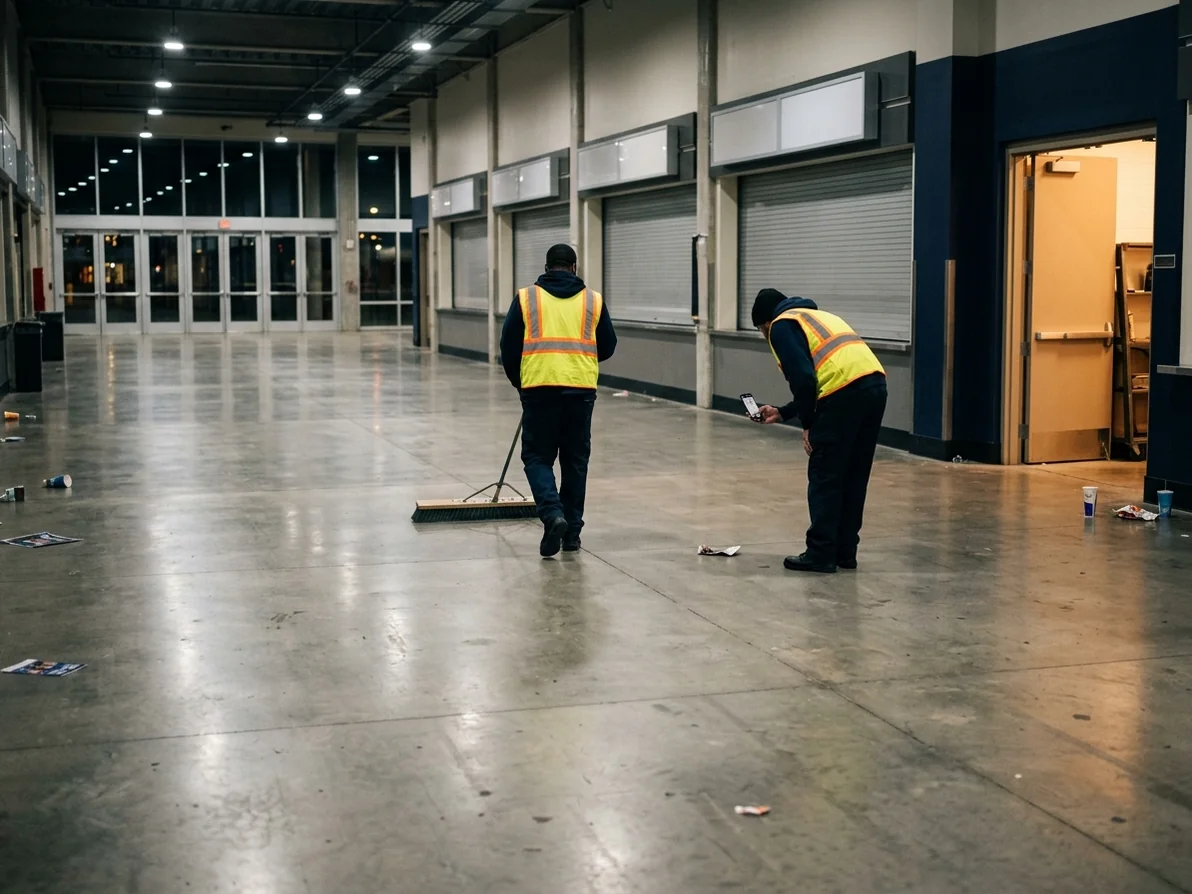
1 The sweep team logs as they go. Stewards and cleaning crew log items from their phones during the post-event walk: photo, category, section or area found. A crew of four can log a big night's haul before they clock out. Every crew member gets an agent login under your venue.
2 Attendees search from wherever they woke up. Your venue's found items are on your public MyQRSearch page by morning. Put the link in your post-event email, on your website's contact page, and on the ticket app FAQ: lost something last night? search here. Fans find their own items — from home, in another city, at 2am.
3 Claims come in matched, not vague. Attendees contact your venue through the platform pointing at a specific listing, describe identifying details, and you verify before pickup or shipping. Items move out; the table clears before the next event load-in.
Venue concourse swept for lost property after an event

Built for burst volume.

Fast enough for a sweep.Photo, category, section — seconds per item, from any phone, by any number of crew at once.
Public by morning.Listings go live as they're logged. The searchable page absorbs the demand your phone line can't.
Event-day staffing friendly.Claims wait in the platform for your next staffed day. Nothing depends on someone answering a phone Tuesday at noon.
A clean record per event.What was found, where, what went home. Useful for operations — and for the fan who insists their phone was "stolen."
Pricing

Scales with your calendar, not your capacity.

Partner plans start free and scale by listing volume and staff accounts — a venue that hosts two events a month pays like it, not like an arena. Current plans are on our How It Works page.

Become a partner location
FAQs

Venue lost and found FAQs.

Can multiple staff log items at the same time during a sweep?
Yes — that's the designed use. Every crew member logs from their own phone under their own agent account, simultaneously. Entries show who logged what and where.
We only staff the office on event days. How do claims work in between?
Claims arrive through the platform and wait for you. Attendees don't need to reach a human on the phone — they point at a listing, you respond when staffed, and pickup or shipping happens on your schedule.
What about the flood of low-value items — single gloves, sunglasses, chargers?
Set a logging threshold that matches your operation. Many venues log everything electronic plus wallets, keys, and IDs, and bin the rest after a posted period. Whatever you log becomes returnable; whatever you don't was never coming home anyway.
Can we use this for a festival or a one-off event, not a fixed venue?
Yes. A location can represent an event site; your crew logs against it for the run, and the listings stay claimable during your posted holding window afterward.
How do we handle high-value finds — phones, purses, medication?
Log them with a conservative public description ("smartphone, section 104") and verify claimants against details only the owner knows — lock screen photo, case, contents. Your internal record holds the specifics; the public listing never does.

The show ends. The scramble doesn't have to.

Set up before your next event, and the morning after looks like a queue of claims instead of a wall of boxes.